
| FEATURES | VISUALART |
|---|---|
| Create 3D Relief from bitmap image files |  |
| Ability to limit creation of reliefs using colors and/or curves | |
| Create puffed up 3D volumes using closed curves | |
| Create 3D sweep volumes using various profiles | |
| Combine 3D volumes using various Boolean operations during creation | |
| Export created 3D volumes as Mesh geometry to CAD system | |
| Convert 3D CAD geometry to ART 3D volumes | |
| Create 2D Curve geometry from image files using Raster to Vector operations | |
| All operations are associative to CAD geometry used in creation | |
| Save and reuse previously created 3D volumes using Shape Library functionality | |
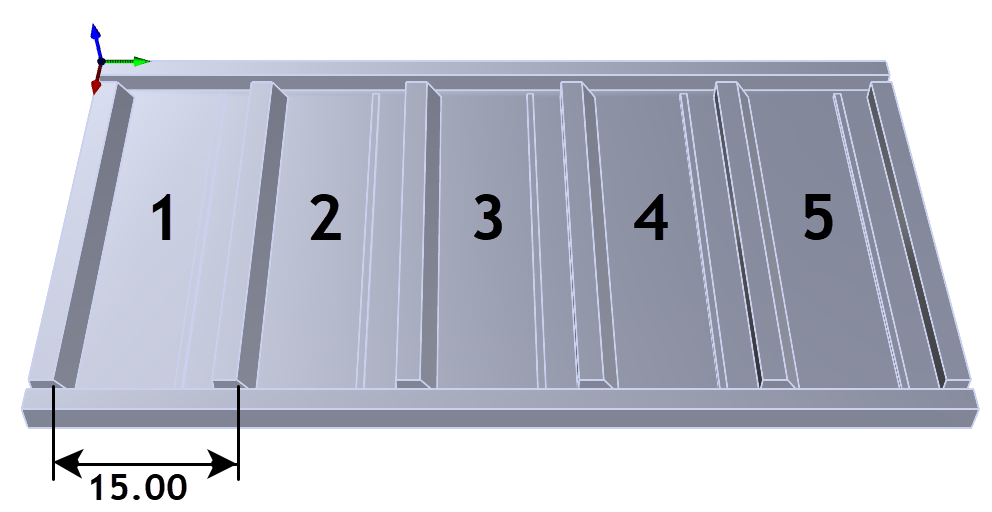
XY Instancing in RhinoCAM
MK Fabrication, a sister company of General Fence, Inc., is a growing full service fabrication shop with mobile capability. Built on quality and customer service,
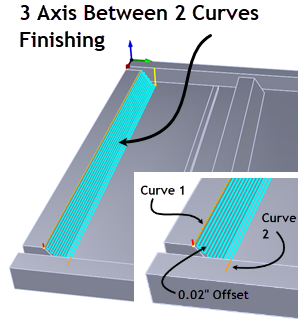
RhinoCAM at MK Fabrication
MK Fabrication, a sister company of General Fence, Inc., is a growing full service fabrication shop with mobile capability. Built on quality and customer service,
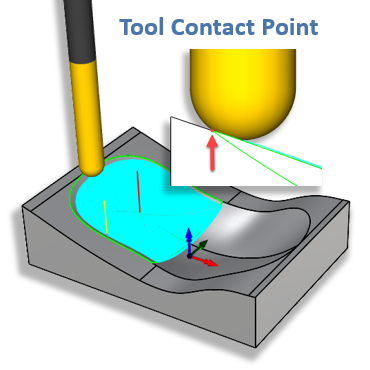
What’s New in MecSoft CAM 2024
With the release of RhinoCAM 2024 and VisualCAD/CAM 2024, new functionality and changes are being introduced. We have improved the quality of our product with